Handlers
Handlers are small build-time transforms that turn a special markdown form into rendered HTML. Two trigger shapes:
- Inline:
`prefix: content`: a plain inline-code span where the content starts with a registered prefix and a colon. - Code block:
```lang: a fenced code block whose language tag matches a registered handler.
Vaults ships six built-in handlers and lets you add your own under .vaults/handlers/:
| Handler | Trigger | Demo |
|---|---|---|
dice | inline | below |
fm | inline | below |
fm | code block | below |
statblock | code block | Statblocks |
battlemap | code block | Battlemaps |
gallery | code block | below |
Built-in: `dice:`
Click the rolled die for a fresh result.
| Markdown | Renders as |
|---|---|
`dice: 1d20+5` | |
`dice: 8d6` | |
`dice: 1d100` |
Unrecognised formulas degrade to a struck-through code span instead of crashing the build:
| Markdown | Renders as |
|---|---|
`dice: not-a-formula` | not-a-formula |
Supported syntax: XdY, XdY+Z, XdY-Z. More elaborate dice notation (advantage, exploding, keep-highest) is not currently supported.
Built-in: `fm:`
Inserts a value from this page's frontmatter. The frontmatter on this very page is:
title: Handlers
So `fm: title` renders as: Handlers. Frontmatter values flow through the rest of the markdown pipeline, so you can put inline markup in your frontmatter and it will render. This is handy when the same value appears in a heading and in prose, and you don't want to hand-sync the formatting.
Missing keys render a visible warning marker so typos surface instead of silently emitting "undefined":
| Markdown | Renders as |
|---|---|
`fm: nope` | {{nope}} |
Date frontmatter values (YAML auto-parses ISO 8601 to JS Date) format as YYYY-MM-DD. Arrays join with , . Objects emit the warning marker, but you can dot-path into them: `fm: stats.hp` walks nested keys, with any missing segment along the path triggering the warning.
Numeric segments index into arrays, so `fm: foundry.data.results.0.name` pulls the first row's name field. Witchwood encounters uses this to render a RollTable defined entirely in foundry.data as a markdown table in the page body, with no duplicated content between the Foundry doc and the wiki.
For values that should appear inside a <pre><code> (a script body, a long string), there's a fenced-code form keyed on fm. The body is the dot-path. Any text after the lang on the fence is the language hint for the rendered code element:
```fm javascript
foundry.data.command
```
Renders as <pre><code class="language-javascript">…value…</code></pre>. The macro pages (Toggle feast, Toggle lights, Toggle ambient noise) use this to display their command source without duplicating the script between the frontmatter and the body.
Built-in: statblock
A code-block handler keyed on ```statblock, schema-compatible with the Fantasy Statblocks Obsidian plugin. See the dedicated Statblocks page for a full demo.
Tiny dragon neutral good
Armor Class 13
Hit Points 7 (2d4 + 2)
Speed 15 ft., fly 60 ft.
Skills Perception +5, Stealth +4
Senses blindsight 10 ft., darkvision 60 ft., passive Perception 15
Languages understands Common and Draconic but can't speak
Challenge 1/4
Keen Senses. The pseudodragon has advantage on Wisdom (Perception) checks that rely on sight, hearing, or smell.
Actions
Bite. Melee Weapon Attack: +4 to hit, reach 5 ft., one target. Hit: piercing damage.
Note the button inside the action description. Handler descriptions support inline handler chaining, so dice expressions in stat damage rolls click through like everywhere else.
Built-in: gallery
A responsive grid of thumbnails. One image per line, referenced by name the same way a ![[file]] embed is, with an optional caption after a pipe. Lines starting with # are comments.
```gallery
screenshot-fvtt-actor-aelar-galanodel.webp | Aelar as a dnd5e Actor
screenshot-fvtt-item-potion-of-healing.webp | The potion as an Item
screenshot-fvtt-journal-bram-mossfoot.webp | Bram's journal entry
```
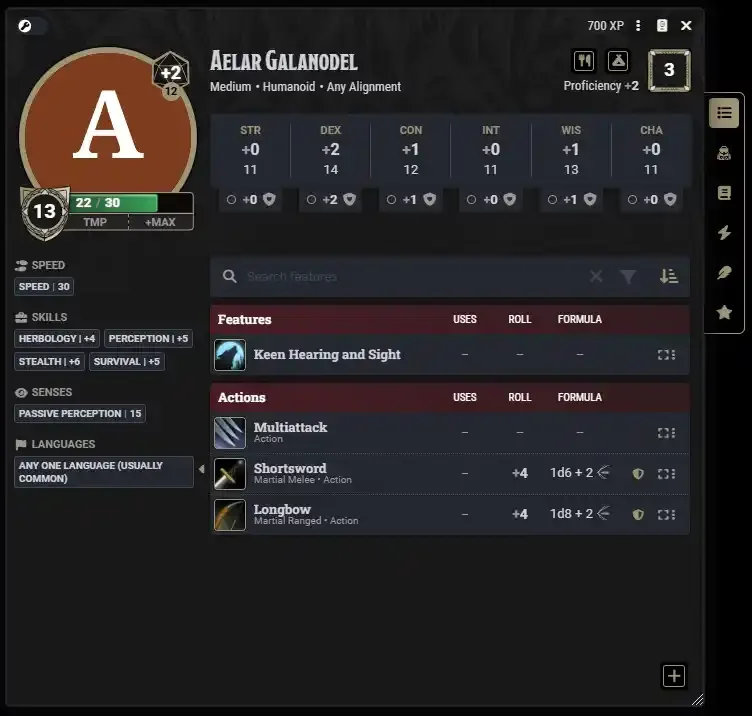
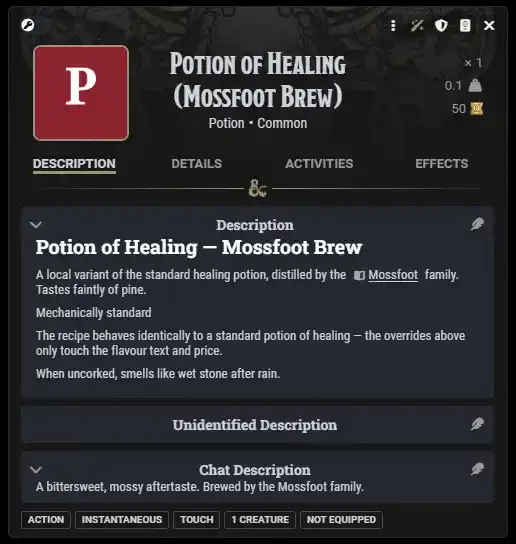
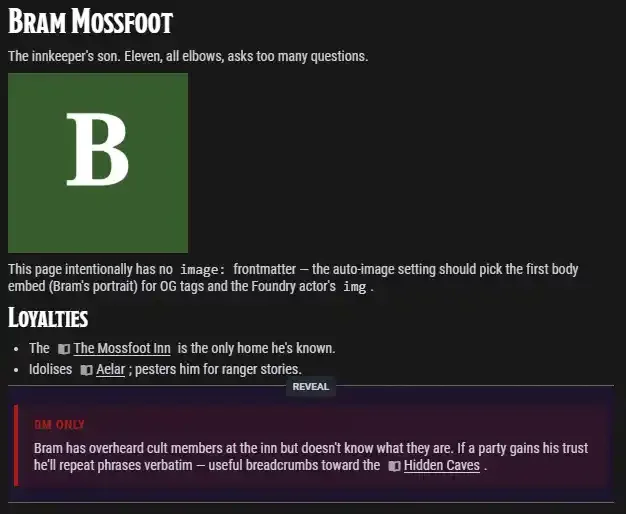
Images resolve through the same index as ![[ ]] embeds, so anything a gallery names is staged into the deploy and gated per role like any other image.
Writing a custom handler
Drop a file in .vaults/handlers/ and export a handler (or handlers: []):
// .vaults/handlers/shout.mjs
export const handler = {
  inline: "shout",
  render(content, ctx) {
    return { html: "<strong>" + content.toUpperCase() + "</strong>" };
  },
};
Now `shout: hello` renders as a bold uppercase HELLO anywhere in the vault.
Handler API surface:
- Inline:
{ inline: "prefix", render(content, ctx) } - Code block:
{ codeBlock: "lang", render(content, ctx) } - Return
{ html: "..." }to insert raw markup, or{ markdown: "..." }to re-process through the rest of the pipeline (wikilinks resolve, embeds inline, dice buttons in your output get picked up). ctx.frontmatteris the rendering page's parsed frontmatter;ctx.pagePathis its vault-relative path;ctx.escape(s)is an HTML-escape helper;ctx.applyInlineHandlers(s)lets your handler invoke other inline handlers (this is howstatblock'sdescfields support).
Browser-side assets
Handlers can include JS and CSS to the deploy:
export const handler = {
  codeBlock: "widget",
  assets: {
    scripts: ["./widget.runtime.js"],
    styles: ["./widget.css"],
  },
  render() { return { html: '<div class="widget"></div>' }; },
};
Foundry import opt-in
By default, handler CSS/JS only reaches the wiki. The Foundry VTT module ignores it because running arbitrary scripts from a third-party URL inside a Foundry world is the kind of thing that warrants explicit consent. To make a handler's assets eligible for import into Foundry, add a foundry block:
export const handler = {
  inline: "clicker",
  assets: {
    scripts: ["./clicker.runtime.js"],
    styles: ["./clicker.css"],
    foundry: { scripts: true, styles: true },  // both default false
  },
  render: ...,
};
Two layers of consent gate this:
- Handler-side opt-in (above): only handlers that set
foundry.scripts/foundry.stylesget bundled into the deploy's_handlers.foundry.{js,css}. Everything else stays wiki-only. - A per-session prompt before any script runs, naming the vault it came from. Stylesheets are injected without asking: at worst one restyles a journal sheet. There is no GM-side checkbox — a handler's CSS is what makes its output look like anything, so a vault rendering wrongly until someone found a setting they had no reason to look for was almost always an accident rather than a decision.
Live demo: this vault includes a `clicker:` inline handler with both opted in. `clicker: try me` renders as (click it!). On the wiki it works because the handler's CSS + JS included at _handlers.{css,js}. In Foundry it works only if the GM checked both import boxes for this vault. Otherwise the journal page shows an unstyled, inert button (since the wiki HTML containing <button class="vaults-clicker"> survives the sync, but the styling/behaviour does not).